# LineageOS 23 Firmware Samsung S20FE
# Samsung 20FE LineageOS 23
installieren Sie LineageOS 23 (Android 16) auf dem Galaxy S20 FE
Quelle : [https://youtu.be/rkDBdCa6BS8](https://youtu.be/rkDBdCa6BS8)
HINWEIS: Die erste Version von LineageOS \[23.0\] basiert noch auf Android 16 „QPR0“ anstatt auf QPR 1, da der Quellcode von QPR 1 noch nicht öffentlich ist. Danke, Google :/ Daher entgehen Ihnen einige Neuerungen wie das Material 3 Expressive Design.
1. herunterladen und extrahieren . [Android SDK Platform Tools ](https://droidwin.com/download-latest-android-sdk-platform-tools-windows-mac-linux/)
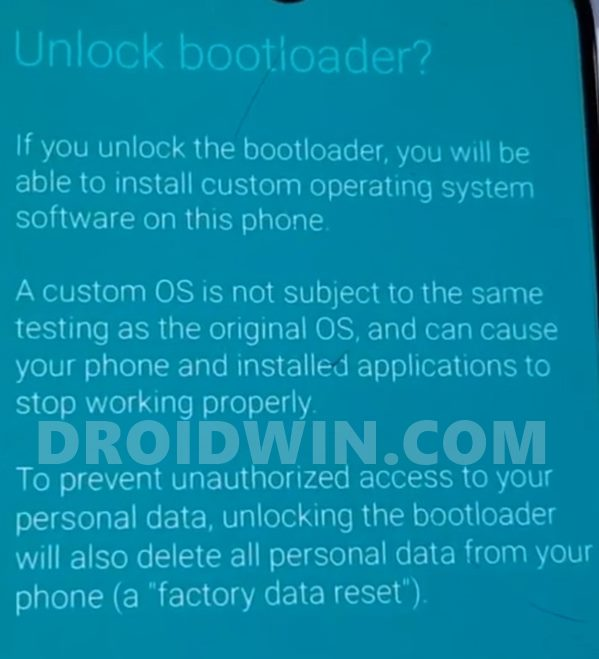
2. Entsperren Sie anschließend [ den Bootloader ](https://droidwin.com/unlock-bootloader-samsung/) Ihres Samsung-Geräts.
[](https://information.gotdns.ch/uploads/images/gallery/2026-01/5psgrafik.png)
- Laden Sie nun das [ Odin-Tool ](https://droidwin.com/unbrick-samsung-flash-stock-firmware-odin/) herunter und extrahieren Sie es auf Ihrem PC.
- Übertragen Sie recovery.img und vbmeta.img in den Ordner „Plattform-Tools“.
- Öffnen Sie nun die Eingabeaufforderung in diesem Ordner.
- Geben Sie anschließend die folgenden Befehle ein, um die Recovery- und VBMeta-Dateien mit TAR zu archivieren:
```
tar --format=ustar -cvf Recovery.tar Recovery.img
tar --format=ustar -cvf vbmeta.tar vbmeta.img
```
[](https://information.gotdns.ch/uploads/images/gallery/2026-01/o1Cgrafik.png)
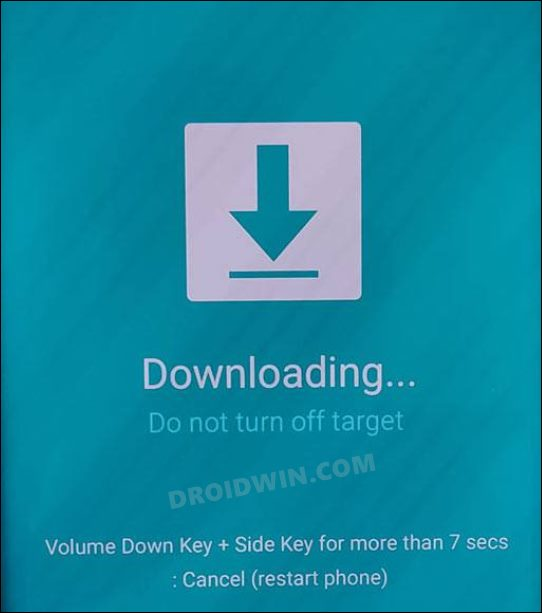
nun [Starten Sie Ihr Gerät ](https://droidwin.com/boot-samsung-download-mode/) im Download-Modus, um die Datei zu flashen.
[](https://information.gotdns.ch/uploads/images/gallery/2026-01/UAfgrafik.png)
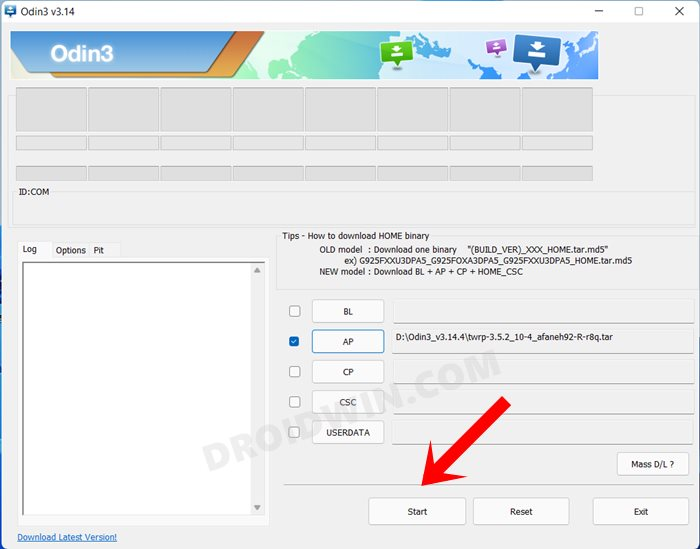
- Starte Odin und stelle sicher, dass dein Gerät dort aufgeführt ist.
- Wechseln Sie nun zum Reiter „Optionen“ und deaktivieren Sie die Option „Automatischer Neustart“.
- Klicken Sie anschließend auf AP, navigieren Sie zu recovery.tar und wählen Sie diese Datei aus.
[](https://information.gotdns.ch/uploads/images/gallery/2026-01/yudgrafik.png)
- Laden Sie anschließend die Datei vbmeta\_patched.tar in den Userdata-Slot.
- Klicken Sie nun auf Start. Die Recovery-Software wird auf Ihr Gerät geflasht.
- anschließend [Starten Sie Ihr Gerät ](https://droidwin.com/boot-recovery-mode-samsung-oneui-3-android-11/) direkt im LineageOS-Recovery-Modus neu .
- Benennen Sie nun die Custom-ROM in rom.zip um und übertragen Sie sie in die Plattform-Tools.
- Im LineageOS-Recovery-Menü wählen Sie „Werksreset“ > „Daten formatieren“.
- Anschließend wählen Sie „Update anwenden“ > „Über ADB anwenden“.
- Geben Sie anschließend den folgenden Befehl im CMD-Fenster ein.
```
adb sideload rom.zip
```
- Der Blinkvorgang beginnt nun. Sobald er abgeschlossen ist, erhalten Sie eine entsprechende Meldung.
[](https://information.gotdns.ch/uploads/images/gallery/2026-01/e5Xgrafik.png)
- per Sideloading installieren möchten [Klicken Sie auf „Ja“, wenn Sie eine beliebige ZIP-Datei wie GApps ](https://droidwin.com/how-to-download-and-install-android-15-gapps/) oder [ Magisk ](https://droidwin.com/everything-about-magisk-manager-modules-and-more/) .
- Oder tippen Sie auf Nein, wenn Sie keine weiteren ZIP-Dateien per Sideloading installieren möchten.
- Tippen Sie abschließend auf „System jetzt neu starten“, um das neu installierte Betriebssystem zu starten!
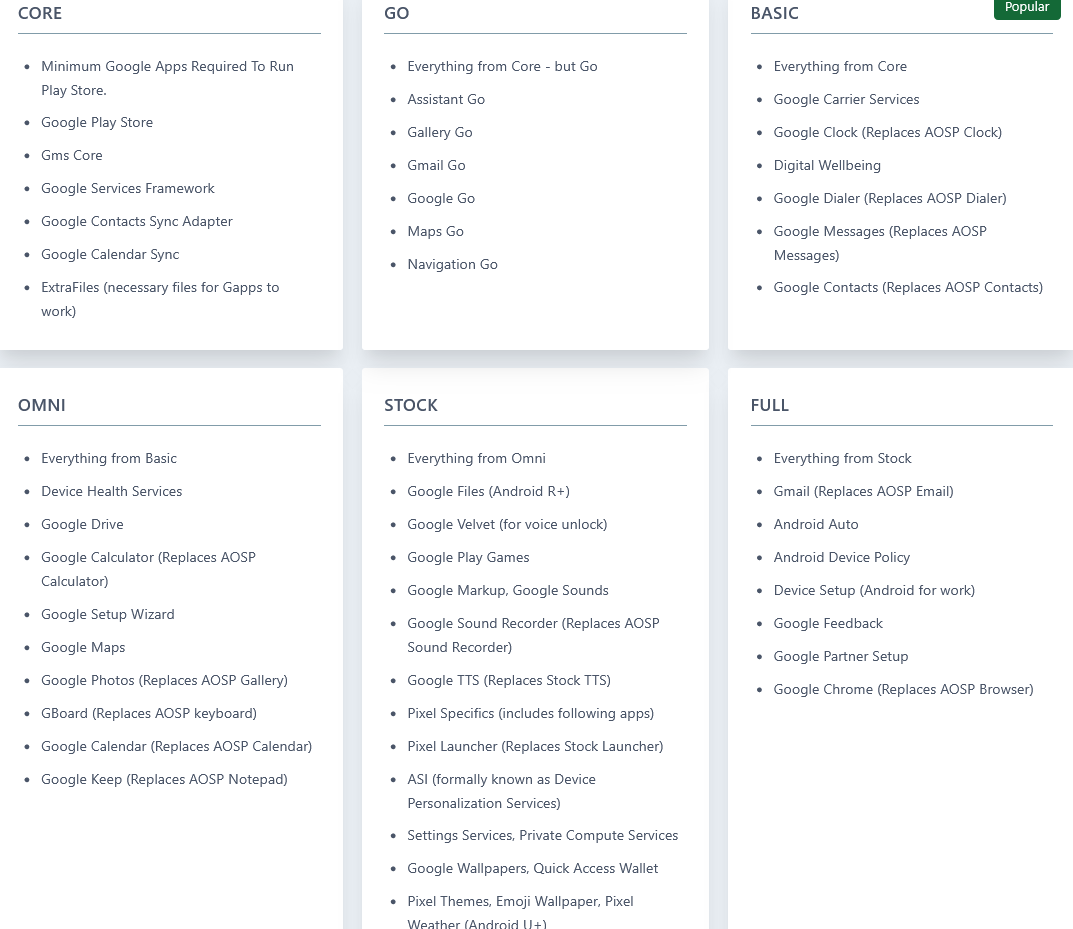
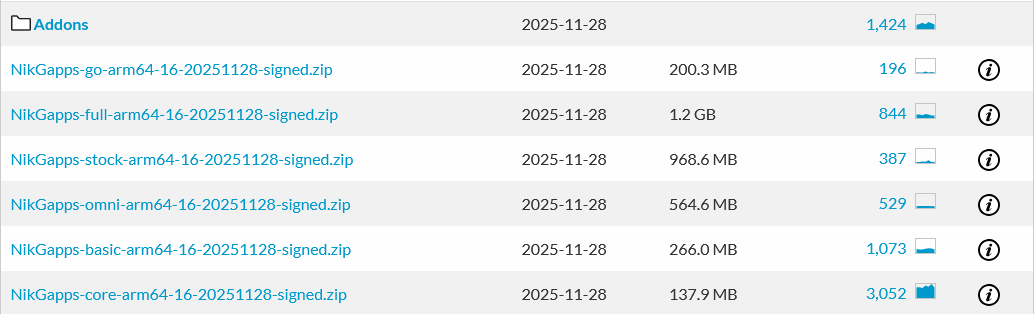
Da die GApps ausschließlich unveränderte Google-Apps enthalten, gibt es keine allgemein anerkannte beste Quelle. ROM-Entwickler empfehlen in der Regel bestimmte GApps. Sollte dies nicht der Fall sein, können Sie alternativ NikGApps verwenden.
- LiteGApps Android 15/16: [ Download-Link ](https://sourceforge.net/projects/litegapps/files/litegapps/arm64/35/)
- **NikGapps Android 15/16:****[ Download-Link ](https://nikgapps.com/downloads.html#downloads)**
- MindTheGApps Android 15/16: [ Download-Link ](https://github.com/MindTheGapps/15.0.0-arm64/releases)
- BiTGapps Android 15/16: [ Download-Link ](https://bitgapps.github.io/)
[](https://information.gotdns.ch/uploads/images/gallery/2026-01/wACgrafik.png)
[](https://information.gotdns.ch/uploads/images/gallery/2026-01/o4xgrafik.png)
[](https://information.gotdns.ch/uploads/images/gallery/2026-01/YCpgrafik.png)
[](https://information.gotdns.ch/uploads/images/gallery/2026-01/4ebgrafik.png)
[](https://information.gotdns.ch/uploads/images/gallery/2026-01/SODgrafik.png)
[](https://information.gotdns.ch/uploads/images/gallery/2026-01/w9pgrafik.png)
```
adb sideload gapps.zip
```